Scorecards
Scorecards is a powerful validation framework in Venue.sh that ensures your Backstage entities meet defined standards. It uses customizable rules to validate entities in real time, checking for required metadata, specifications, and annotations. Each rule acts as a quality gate, providing clear pass/fail metrics to help you track compliance and identify areas that need attention.
Venue.sh comes with four pre-installed golden rules, maintained by the Venue.sh team, to ensure consistent quality standards.
Benefits
Scorecards provide many advantages for your development workflow, including:
- Quality assurance by ensuring all entities meet required standards,
- Integration validation by verifying proper tool configurations,
- Compliance monitoring by tracking validation statuses in real-time,
- Standardization by maintaining consistency across your catalog, and
- Clear metrics by easily identifying areas that need attention.
Golden Rules
The following rules are configured out of the box and ready to use in your Venue.sh instance:
-
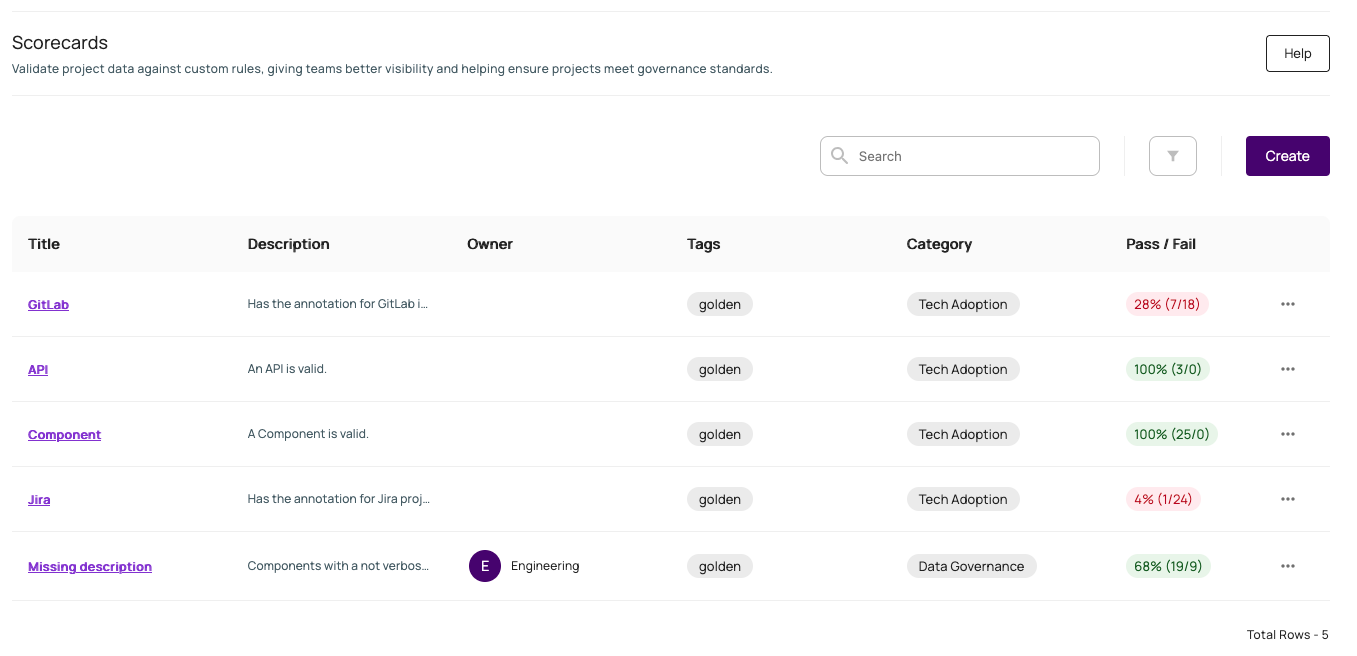
API Rule - Validates API entities by ensuring they have all required metadata and specifications. This rule checks for essential fields, like Name, Type, Lifecycle, Owner, and Definition.
-
Component Rule - Ensures component entities have complete metadata and specifications. This rule validates critical fields, including Name, Type, Lifecycle, and Owner.
-
GitLab Rule - Validates GitLab integration settings by checking for required annotations. This rule ensures proper GitLab instance and project slug configurations.
-
Jira Rule - Verifies Jira integration settings through annotation validation. This rule checks for proper Jira project key configuration.
Here's an example of the golden rules and the feedback they provide:
Writing Rules
Each Scorecards rule requires the following information:
- Title - A unique identifier for the rule
- Description - Clear purpose of the validation
- Owner - Team responsible for maintenance
- Tags - Categories for organization
- Category - Organizational descriptor
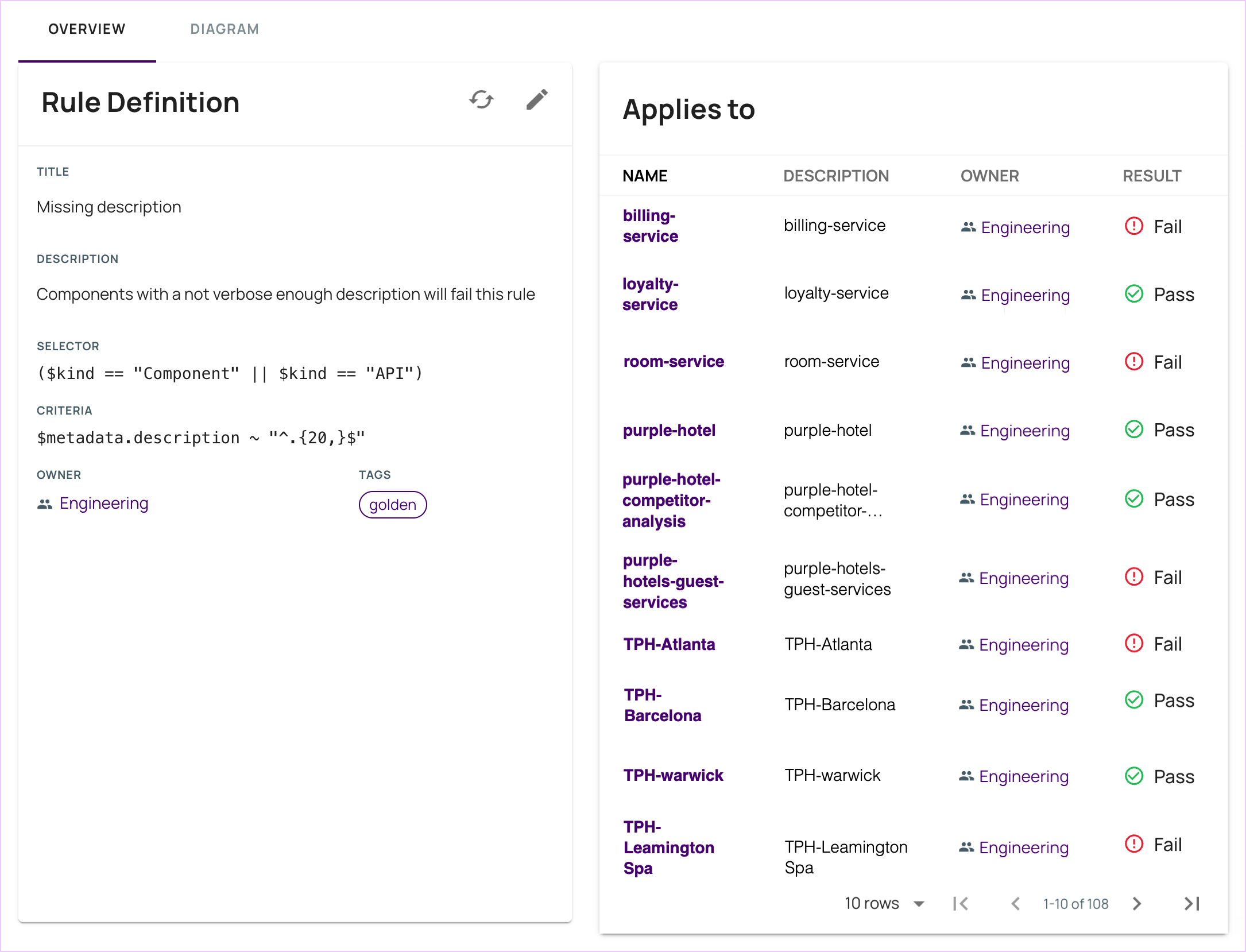
- Selector - Entity type the rule applies to. It uses the expression language to select the entities.
- Criteria - Required conditions for validation. It uses the expression language to validate the entities.
In the Rule Parameters section, toggle on the Advanced option to write your rules manually, opposed to making selections via dropdown lists.
Note that if you edit a rule using the advanced method, you cannot switch back to basic.
Here's an example of an API rule:
Detailed information about rule syntax and writing expressions can be found on the Expressions page.